A WYSIWYG HTML editor that’s versatile for anything
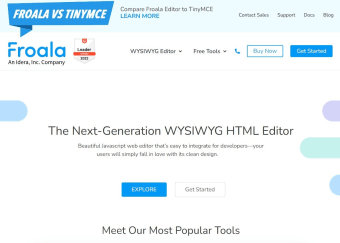
Froala Editor is a powerful web development software that enables you to easily integrate a handy rich text editor into your applications and websites. This lightweight “What You See Is What You Get” (WYSIWYG HTML editor provides a wide range of features in an easy-to-use interface.
Top Recommended Alternative
As a WYSIWYG HTML editor written in Javascript, Froala Editor can translate text and formatting into readable and SEO-friendly HTML code and vice-versa. With its powerful API, developers can add its editor tool into their programs and skip having to craft their own from scratch. This has a free trial and three subscription plans.
Is Froala Editor open source?
As a development tool for HTML editors, Froala Editor comes with a myriad of editing features that makes it user-friendly for both developers and their customers. First of all, its user interface is clean, modern-looking, and easy on the eyes. Thus, navigating it and enabling certain settings aren’t hard for end-users—especially if the developers code its layout to be much more palatable just for their app or website. It also has a smart toolbar that can accommodate over 100 features and more than 30 out-of-the-box plugins.
Additionally, this smart toolbar intuitively groups similar enhancement utilities into four categories by default, so the rich text editor is ready for use right off the bat. It even allows you to find your most-used option right there. This rich text editor can pretty much be applied to all kinds of software and sites, and its inline editor function makes any editing task simple. It’s effortless to extend and can be scaled depending on the scope of your product—not to mention that it has developer-friendly online documentation.
However, compared to some of its competitors, it has certain limitations in what it can offer. For one, it doesn’t store images and only keeps them temporarily in the browser memory so you’ll need your own server for permanent storage. Additionally, unlike other WYSIWYG HTML editors, this one isn’t allowed to be used on any open-source project, no matter your license type.
Is Froala Editor free?
Froala Editor has two full-featured free trial versions: one on the official website that’s already embedded on the webpage and one that you can download by providing your email address and other information. The downloadable file contains what you’ll need to start implementing the editor into your application and you’ll also get an email to help you out. Once you start, you get 30 days of free technical support, too.
For its premium plans, however, there are three license versions you can choose from. The Basic plan is good for a blog or a simple personal application, as it can only apply the editor on three domains. However, it doesn’t have tech support and can’t be used on subscription products you’re offering. Meanwhile, the Professional plan is good for professional web apps, CMS (content management system), and SaaS (software as a service) applications, as it has no domain constraints and includes the un-minified source code.
Lastly, the Enterprise plan is for bigger projects and scopes and covers all of the Professional plan’s features, plus many additional functions. All three subscription plans can be either in annual payments or a perpetual payment—wherein you can use the last editor release you got for a lifetime without any extra payments, but it only has one year of software updates and tech support unless you renew it.
A great choice for any use case
All in all, Froala Editor is a versatile WYSIWYG HTML editor that can be a great alternative to other similar programs. While it has certain limitations that its rivals have, it’s still a well-rounded software that is designed to be easily used by developers so they can cater to their customers’ needs with ease. Additionally, its demos are fully-featured so the rich text editor can be tested to its very limits before deciding to purchase.